Collaborative Environment
Enables multiple users to work simultaneously.
Better decisions come from better models of reality.
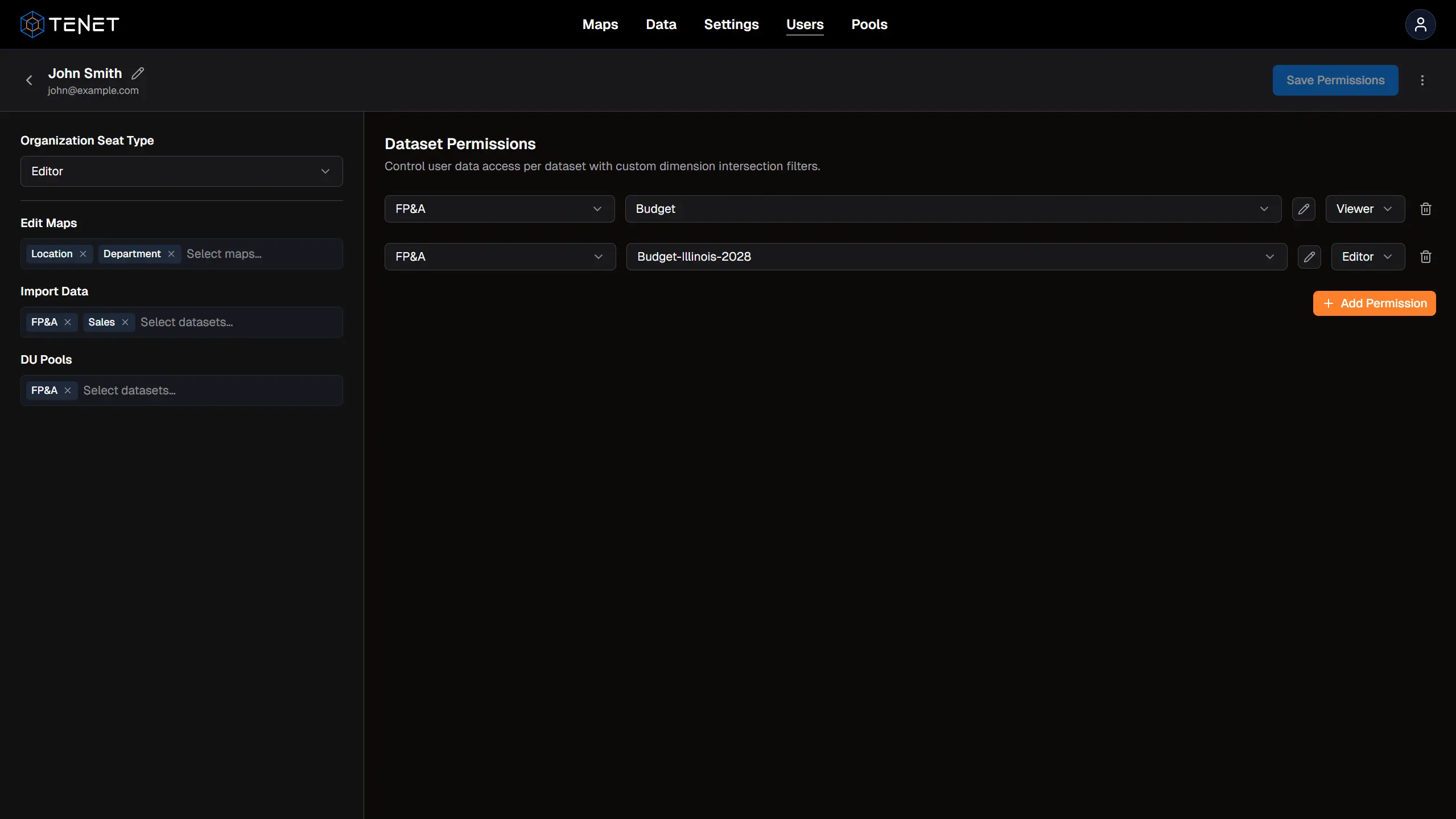
Collaboration
Multiple users, real-time updates, and granular controls. Tenet keeps every team working from a single source of truth.
Enables multiple users to work simultaneously.
Not an issue.
Always live results across all teams.
Highly customizable per user based on dimension maps and intersections.
Audit trails on plan submissions.
Multidimensional Engine
The engine runs on dimension units, the smallest slices of your business. They are like the cells or atoms of the system, and dimension intersections are like the molecules. Every slice has its own identity and function, but they all connect to form one holistic entity.
The calculation engine is fast, scalable, and performative.
The platform is designed around modeling any mix or overlap of intersections.
Tenet is built to fill in the gaps and unify every dimension of your business by ensuring all levels remain interconnected and consolidate harmoniously.
Tenet Functions
Reporting
Eliminate raw data tabs. Tenet functions outperform native Excel, so models and reports can be built once and distributed everywhere.
Eliminate the need for raw data tabs.
Blazing fast and outperform native functions. Aggregate data or produce spill arrays for nested logic.
Models and reports can be built and distributed once.
Build new models with full control and flexibility or continue using your existing ones.
Planning
Top-down, bottoms-up, or lateral. Model your business across any multidimensional structure. Refine as you go.
Model your business across scenarios, time, business lines, segments, departments, locations, accounts — literally anything.
Identify and create the intersections that matter most, then refine as you go along.
Planning approaches can move in any direction — top-down, bottoms-up, or lateral. Participate in centralized and decentralized processes simultaneously.
Leadership can prioritize consolidated targets while FP&A coordinates across teams and business lines.
Bind cells to the cloud and switch between view states such as live pull or modeled logic. Cells display visual indicators of their view state for easy identification of what has been submitted to the system.
Allocation Methods
All hierarchical and interconnected levels of your organization are allocated in the background using the following methods.
Method 01
Choose how to spread your plan dynamically by simulating a scenario, time period, market, or other dimensional structure.
Examples
Apply a product split from an existing location to a new acquisition within the same business line.
Submit a weighting model to allocate across any mix of dimensions, such as seasonality by month.
Method 02
Apply a rule using custom formulas within your dimension intersection to achieve an intended result. You can also let the system solve for an unknown input variable when the desired output is already known — similar to Excel's Goal Seek tool.
Examples
Volume × Price = Sales for all locations within a target market.
Operating expenses that adjust automatically based on changing headcount and per employee rates.
Plan submissions are processed and allocated by priority. The smaller and more specific the slice of a business, the higher the priority. For example, a location-level plan takes precedence over a market-level plan. The system ensures that planned and unplanned locations roll up to equal the total market plan, meeting the needs of every level of your organization.
Roadmap
What's next for Tenet — in roughly the order we expect to ship.
Integration with platform for easier analysis.
Connections for Power BI and Power Query to transform data and merge with other systems.
Custom tool with advanced functionality. Also serves as a report builder that can be exported to spreadsheets and converted to formulas.
Create and submit plans while bypassing spreadsheets entirely.
Integration with Google Sheets and other popular frontends.
Connections for accounting, payroll, and other systems as customers are onboarded.
For deeper insights and prescriptive solutions.
Schedule a personalized walkthrough or explore how Tenet fits your stack.